How to charge Switch controllers is a common question for new Nintendo Switch owners. The Nintendo Switch is a great gaming console, and it comes with two types of controllers: the Joy-Con controllers and the Pro Controller. Both need to be charged to work properly. This guide will show you how to charge both types efficiently.
How to Charge Switch Controllers – Joy-Con Controllers
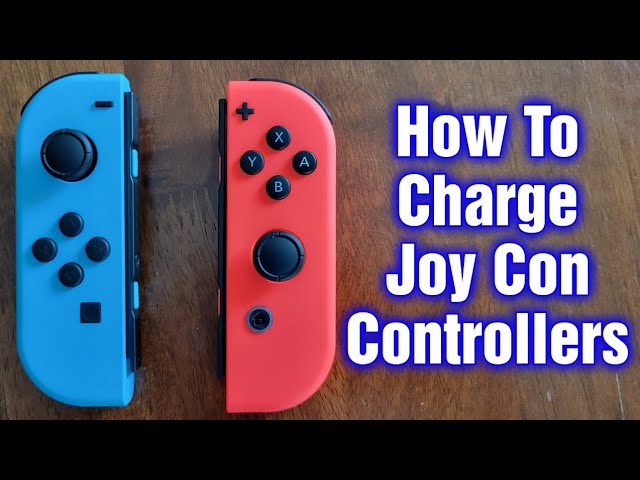
Joy-Con controllers are small but powerful. They attach to the side of the Switch console. Here is how to charge them:
Using the Nintendo Switch Console to Charge Joy-Cons
- Attach the Joy-Con controllers to the Switch console.
- Make sure the console is powered on or in sleep mode.
- Plug the console into a power source using the USB-C cable.
- The Joy-Cons will start charging.
It usually takes around 3.5 hours to fully charge the Joy-Con controllers. The console must be charging for the controllers to charge.
Using The Joy-con Charging Grip
You can also use a Joy-Con Charging Grip. This is a separate accessory. Here is how to use it:
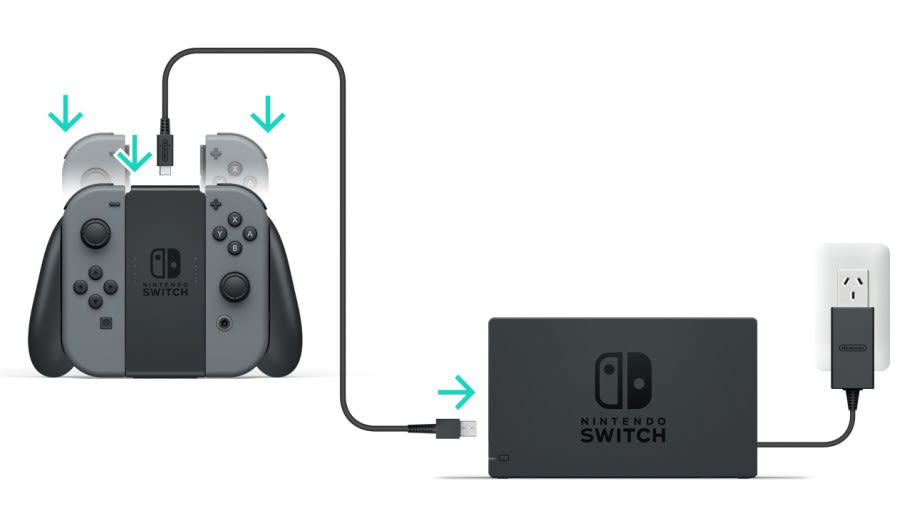
- Attach the Joy-Con controllers to the Charging Grip.
- Plug the Charging Grip into a power source using the USB-C cable.
- The Joy-Cons will start charging.
The Charging Grip is very handy. It lets you play and charge at the same time.
Using The Joy-con Charging Dock
Another option is the Joy-Con Charging Dock. This is also a separate accessory. Follow these steps:
- Place the Joy-Con controllers into the Charging Dock.
- Plug the Charging Dock into a power source using the USB-C cable.
- The Joy-Cons will start charging.
The Charging Dock can charge up to four Joy-Cons at once. It is a great option if you have many controllers.

How to Charge Switch Controllers – Pro Controller
The Pro Controller is larger and more comfortable. It also needs to be charged. Here is how to do it:
Using The Usb-c Cable
- Plug the USB-C cable into the top of the Pro Controller.
- Plug the other end of the cable into a power source.
- The Pro Controller will start charging.
Charging the Pro Controller takes about 6 hours. It lasts for around 40 hours of gameplay.
Using The Nintendo Switch Dock
You can also charge the Pro Controller using the Switch Dock. Here is how:
- Plug the USB-C cable into the Pro Controller.
- Plug the other end into the USB port on the Switch Dock.
- The Pro Controller will start charging.
This method is very convenient. You can charge your Pro Controller while your console is in the dock.
Tips for Charging Your Controllers
- Always use the original cables and accessories.
- Keep your charging area clean and dry.
- Do not leave your controllers charging overnight.
- Check the battery level before starting a long gaming session.
Following these tips will help you keep your controllers in good shape.
Frequently Asked Questions
How Do I Charge Switch Controllers Quickly?
Use the dock or USB-C cable for fast charging. Avoid third-party chargers for reliability.
Can I Charge Controllers While Playing?
Yes, you can charge while playing. Use a long cable for comfort and convenience.
What Is The Best Charging Method For Controllers?
Official dock or USB-C cable ensures safe and efficient charging. Avoid third-party chargers for safety.
How Long Does It Take To Charge Fully?
Switch controllers take about 3 hours to charge fully. Check the LED indicator for charging status.
Conclusion
Charging your Switch controllers is easy. Use the methods shown here to keep them powered up. Happy gaming!